
Usability test script for startups: a copy-ready template to check if your product is intuitive
A usability test script is the written guide you follow when you watch someone use your product: what you say at the start, the warm-up questions, the tasks you give them and the questions you ask at the end. With a script, a founder with no UX background can run the same test five times in a week and see exactly where people get stuck.
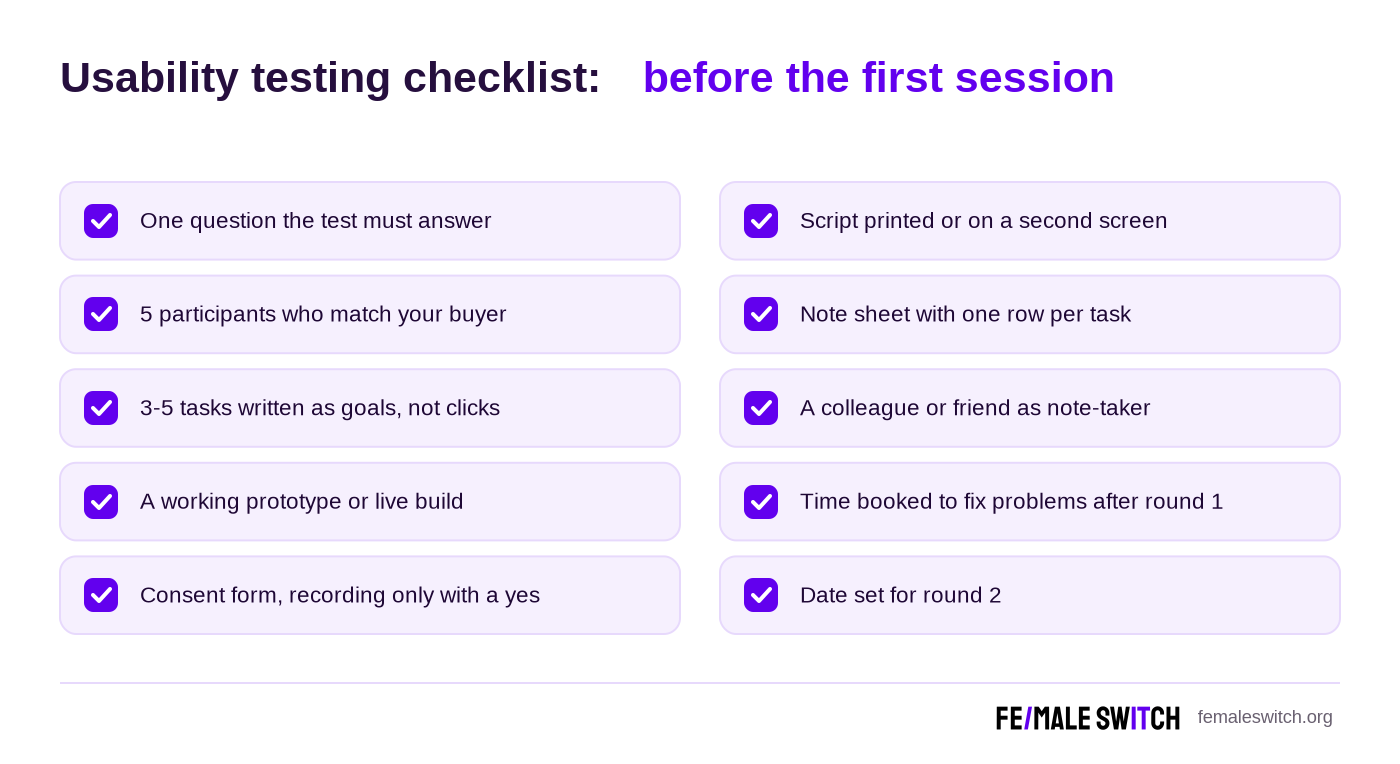
Quick answer: recruit 5 people who match your buyer, give each one 3 to 5 realistic tasks written as goals ("book a call for next Tuesday"), ask them to think aloud, and don't help. Use the script below word for word, note where each person hesitates or fails, fix the biggest problems, then test again with 5 new people. That loop is how you make a product feel intuitive.
Write FREE SEO-optimized Blog Articles! Our Article Writer ensures your blog is loved by both Google and your readers, turning those clicks into customers.
👉 Write your article here
Why 5 users and a script are enough
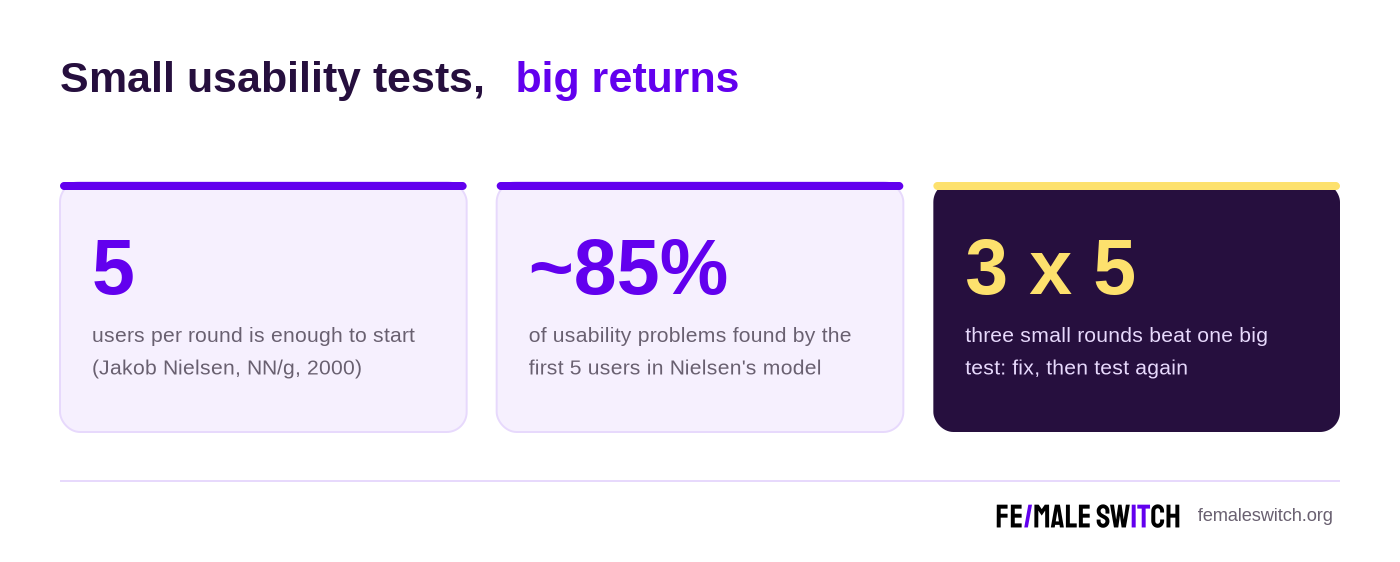
You don't need a lab or a research team. In his widely cited article "Why You Only Need to Test with 5 Users", Jakob Nielsen of the Nielsen Norman Group argued that the first five users reveal most usability problems (about 85% in his model) and that you learn more from three small rounds of five users, fixing problems in between, than from one large test.
The method behind it is thinking aloud: you ask people to use the product while saying what they're thinking. You hear the confusion ("I expected the price to be here") at the moment it happens, which no analytics dashboard will tell you.
A script keeps every session the same, so differences come from the product, not from how you asked. It also stops the most common founder mistake: explaining the product while the person is trying to use it.
The usability test script (copy and adapt)
Replace the parts in square brackets. Read the welcome and the task wording exactly as written in every session.
Source: Fe/male Switch script template, based on the think-aloud method described by the Nielsen Norman Group.
How to write good tasks
Tasks make or break the test. Write them as goals a real customer would have, in their words, without naming buttons or menus:
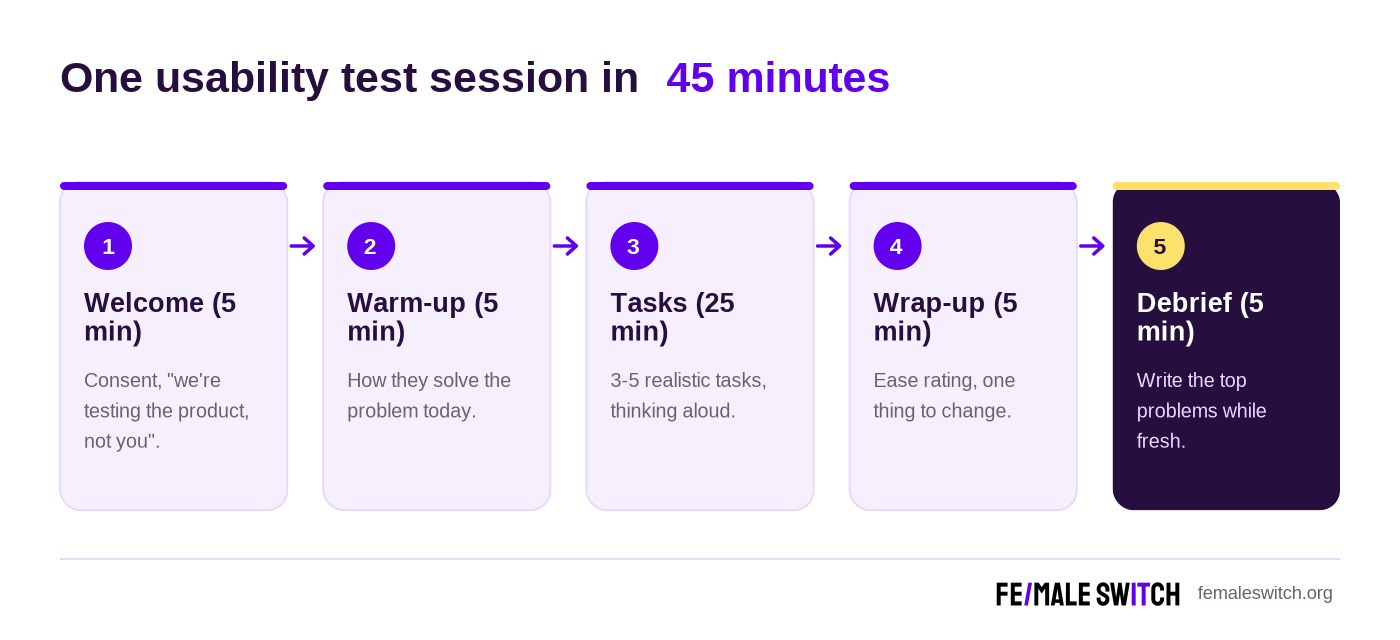
Three to five tasks fit in a 45-minute session. Start with the one action your product must make easy (usually the first value moment), and put sign-up or payment last so you see if people get there.
The note sheet: what to write down
Use one row per participant per task. A friend or co-founder taking notes lets you focus on staying quiet.
Example rows for illustration. After all five sessions, group the notes: a problem that appears for 2 or more of 5 people is a pattern, not a quirk.
Turn findings into fixes
Fix blockers and majors, then run round 2 with five new people using the same script. If a fix worked, that task's ease rating goes up and the hesitation disappears from your notes.
Guerrilla usability testing: the zero-budget version
No budget? Guerrilla testing means short, informal sessions (10 to 15 minutes) with people you can reach today: a co-working space, a founder meetup, an online community where your buyers already gather. Use the same script, cut it to 2 tasks, and offer a coffee or a small thank-you.
Remote works just as well: a video call with screen sharing. If you record sessions with people in the EU, remember that recordings of faces and voices are personal data. Ask for consent, say how long you'll keep them, and delete them when you're done; the European Commission's GDPR information for business explains the basics.
Testing before you build anything? A clickable prototype is enough. See how to build an MVP without code and these design tools for non-designers to make one in a day.
Mistakes that make usability tests useless
- Helping. The moment you explain, the test is over for that task. Ask "What would you do if I weren't here?" instead.
- Testing with friends who aren't your buyers. Friendly feedback is kind but not useful. Recruit people who have the problem you solve.
- Asking what they like. Opinions about colours tell you little. Watch what people do and where they stop.
- Leading tasks. "Click the blue button" tests reading, not usability. Write tasks as goals.
- One big test before launch. Small rounds early are cheaper. Problems found after launch cost real customers.
- No fix time. A test without time booked to fix what you found becomes a report nobody reads.
Usability testing is one input among several. Pair it with the UX basics for non-designer founders, a customer feedback system for live users, and a plan to prevent feature creep so fixes don't turn into new features. Once people find their way around, focus on user adoption.
Validate your business idea in the Fe/male Switch Sandbox! Test, experiment, and pivot your way to success, all in a risk-free environment with an AI Co-Founder.
FAQ on usability test scripts
What is a usability test script?
It's a written guide a moderator follows during a usability testing session. It covers the welcome and consent, warm-up questions, the tasks participants try, follow-up questions after each task and wrap-up questions, so every session runs the same way.
How many users do I need for a usability test?
Five per round is a common starting point. Jakob Nielsen of the Nielsen Norman Group argued that the first five users reveal most problems and that several small rounds, with fixes in between, teach you more than one large test.
How long should a usability test session be?
For a startup product, 30 to 45 minutes with 3 to 5 tasks works well. Guerrilla sessions can be 10 to 15 minutes with 2 tasks.
What questions should I ask in a usability test?
Warm-up questions about how they handle the problem today, an ease rating and "What did you expect to happen?" after each task, and wrap-up questions about the most confusing moment and the one thing they would change.
What is guerrilla usability testing?
It's informal, low-cost testing with people you can reach quickly, such as at a co-working space, a meetup or an online community, usually in short sessions of 10 to 15 minutes.
Can I run usability tests remotely?
Yes. A video call with screen sharing works well. Send the task in chat, ask the person to think aloud, and record only with their consent.
What is the difference between a usability test and user interviews?
A user interview explores people's problems and habits by asking questions. A usability test watches people try to complete tasks with your product to see where it's hard to use.
How do I know if my product is intuitive?
Watch new users try core tasks without help. If most of them complete each task without hesitation and rate it easy, it's intuitive for that task. If two or more of five get stuck at the same place, that part needs work.
About the Author
Violetta Bonenkamp, also known as MeanCEO, is an experienced startup founder with an impressive educational background including an MBA and four other higher education degrees. She has over 20 years of work experience across multiple countries, including 5 years as a solopreneur and serial entrepreneur.
